
Machineboy空
[Ableton] 1.4 Creating a Beat 본문
Programming Drums
1. MIDI 트랙에 Impulse 드래그 드롭
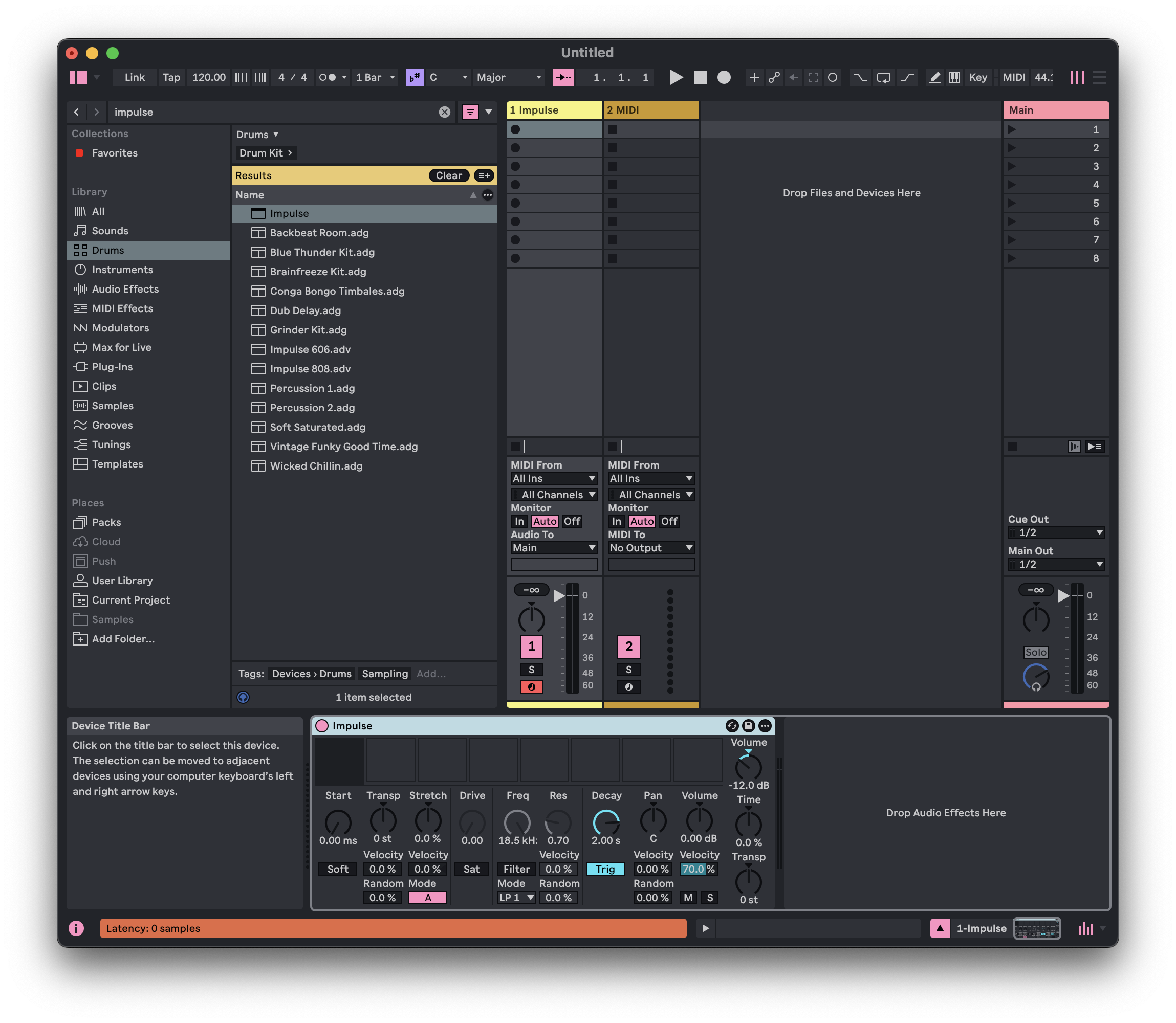
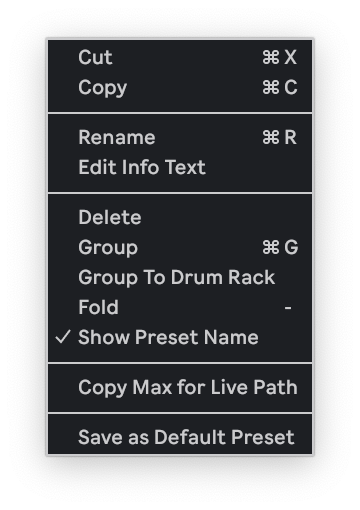
2. Impulse창에서 오른쪽 클릭 - Save as Default Preset
velocity -12로 설정
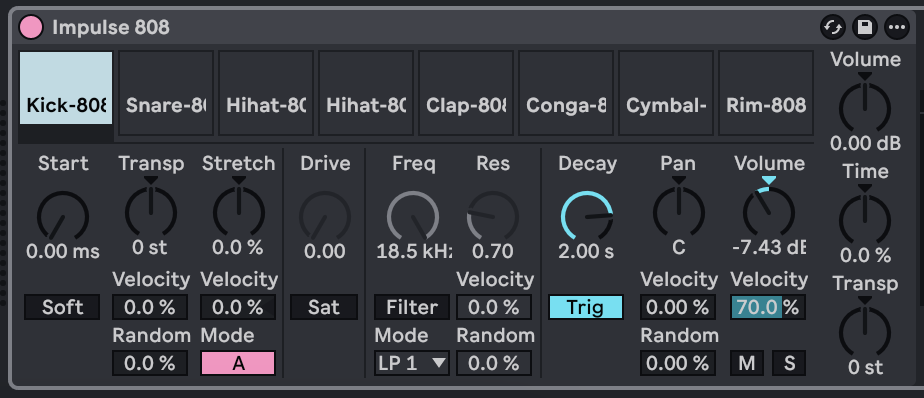
3. Device view: impulse808 = classic drum machine를 impulse창에 드래그드롭하기
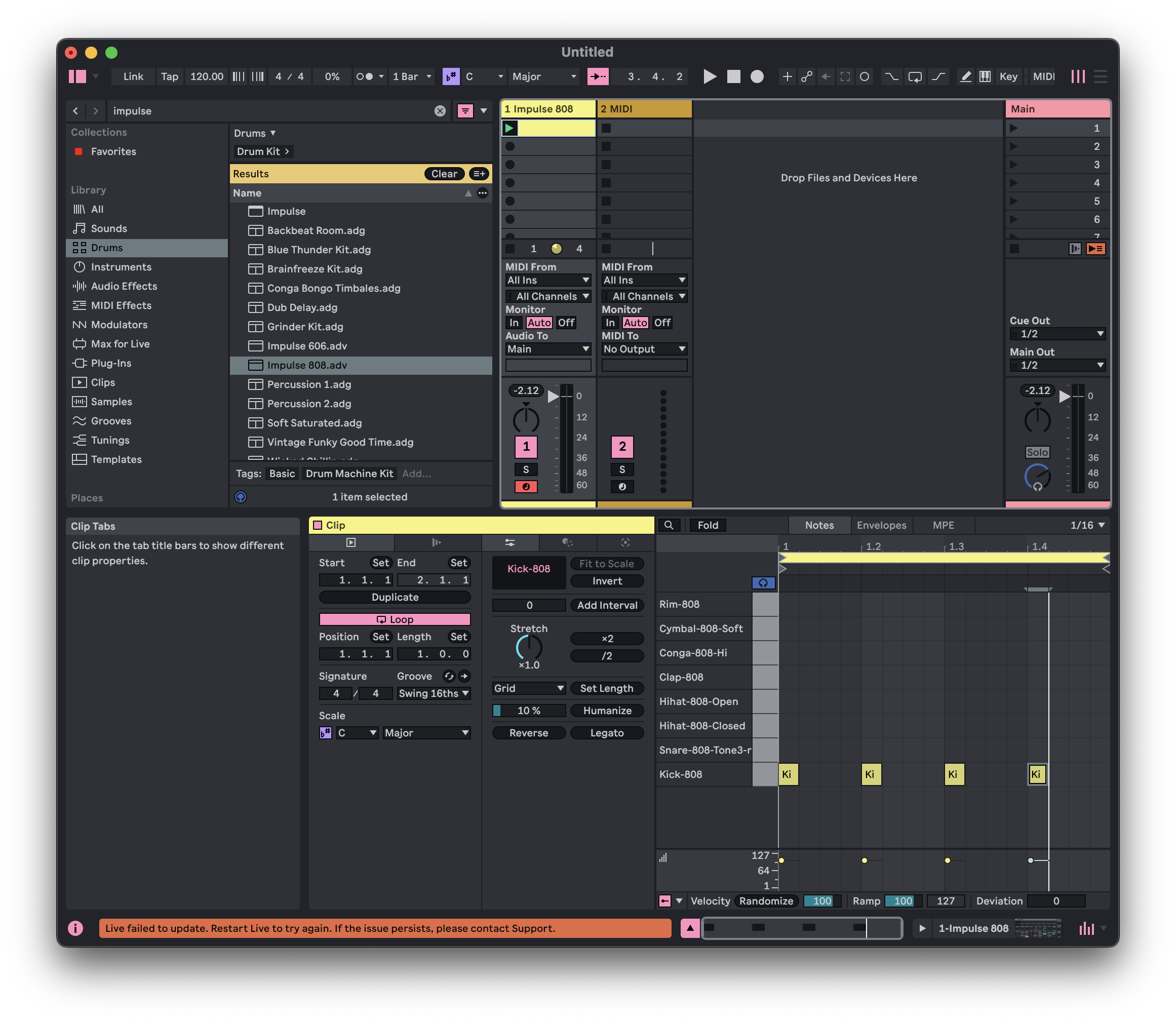
4. Clip view(Shift + Tab으로 전환 가능) 트랙에서 더블클릭하면 루프 만들기 가능
드럼 패턴 하나 만들었음
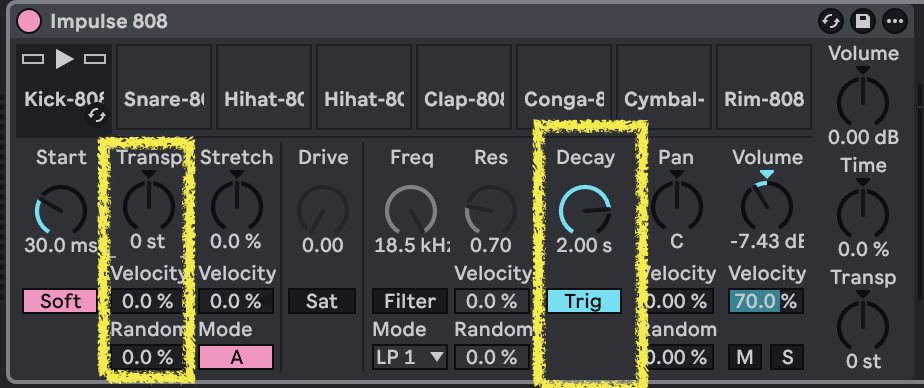
* 디바이스 뷰에서 가장 많이 쓰는 것
- transp(Transpose): 피치를 올리거나 내리는 기능
- decay: how long does it take for sound to decay to nothing after trigger(full volume)
3 core purcussions
- kick drum
- hi-hat
- clap or snare
'#endregion > 사운드' 카테고리의 다른 글
| [Ableton] 1.6 Splitting Parts (0) | 2025.11.16 |
|---|---|
| [Ableton] 1.5 Creative Percussion (0) | 2025.11.16 |
| [Ableton] 1.2 Sample Pack (0) | 2025.11.12 |
| [Ableton] 1.1 Introduction & Interface (0) | 2025.11.12 |
| 사운드디자인 1주차 (0) | 2025.11.07 |
'#endregion/사운드' Related Articles
more


