카테고리 없음
RealityKit 입문 - Image Tracking
안녕도라
2024. 10. 14. 11:54
Image Detection
AR going to read that image and then place an actual watch on my wrist instead of the card
detect an image and you're going to put a virtual object in there
https://www.youtube.com/watch?v=tYj1T-vdJjM
Assets - AR Resources
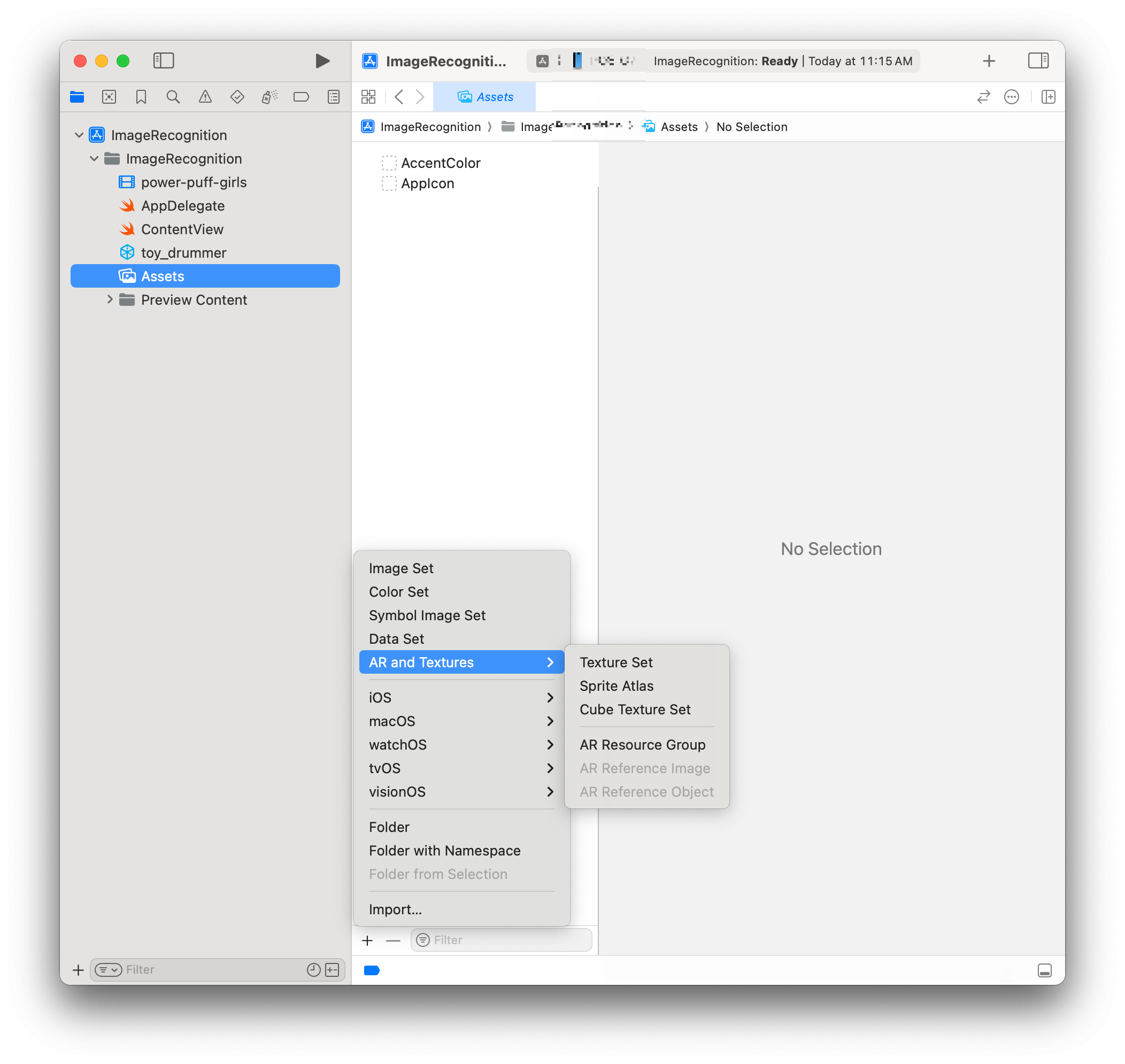
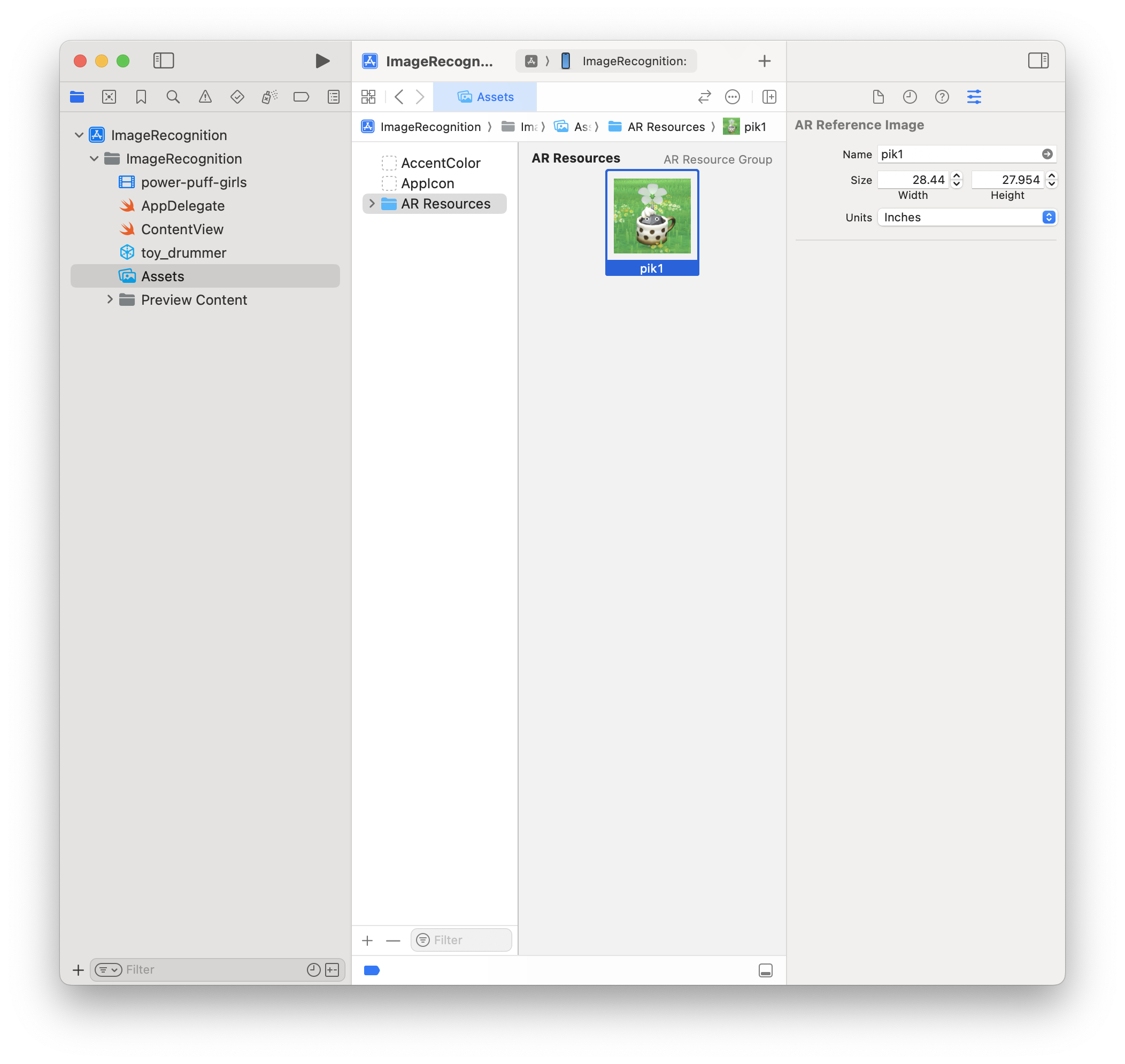
Image Detection 으로 Model 띄우기
// AnchorEntity의 내장 image Detect 파라미터(.image(group: "AR Resources", name: "pik1"))

class Coordinator {

    var arView: ARView?
    var cancellable: AnyCancellable?

    func setupUI() {
        guard let arView else { return }

        let anchor = AnchorEntity(.image(group: "AR Resources", name: "pik1"))

        cancellable = ModelEntity.loadAsync(named: "toy_drummer").sink {completion in
            if case let .failure(error) = completion {
                print("Unable to load model \(error)")
            }
        } receiveValue: { entity in
            entity.scale = [0.05, 0.05, 0.05]
            anchor.addChild(entity)
            arView.scene.addAnchor(anchor)
        }
    }
}
Image Detection 으로 Video 재생하기
class Coordinator {

    var arView: ARView?
    var cancellable: AnyCancellable?

    func setupUI() {
        guard let arView else { return }
        guard let videoURL = Bundle.main.url(forResource: "power-puff-girls", withExtension: "mp4") else { fatalError()  }

        let player = AVPlayer(url: videoURL)
        let videoMaterial = VideoMaterial(avPlayer: player)

        let anchor = AnchorEntity(.image(group: "AR Resources", name: "ppg"))

        let plane = ModelEntity(mesh: MeshResource.generatePlane(width: 5, height: 5), materials: [videoMaterial])
        //plane.orientation = simd_quatf(angle: .pi / 2, axis: [1, 0, 0])
        anchor.addChild(plane)
        arView.scene.addAnchor(anchor)
        player.play()


    }
}